
2025
MOSAIC
Overview
Mosaic, is an application that connects locals and creatives with markets and their hosts.
I was tasked with my team to apply interaction design principles to develop an interface that addresses real-world needs through informed design decisions.
What I Did
User Research
User Interface Design
Prototyping
Team Members
Ethan Li
Nathan Gebreab
Tae Kim
Meghna
Tirsten Lisondra (Me)
Timeline
Oct 2025 - Dec 2025 (8 weeks)
The Problem
A key study conducted on market events found that 48% of vendors had a lack of communication between event organizers.
Exhibitor Appointed Contractor Association (2024)
This, among other studies, made it clear that there is a major problem with vendor-organizer communications.
Discovery & Understanding User Needs
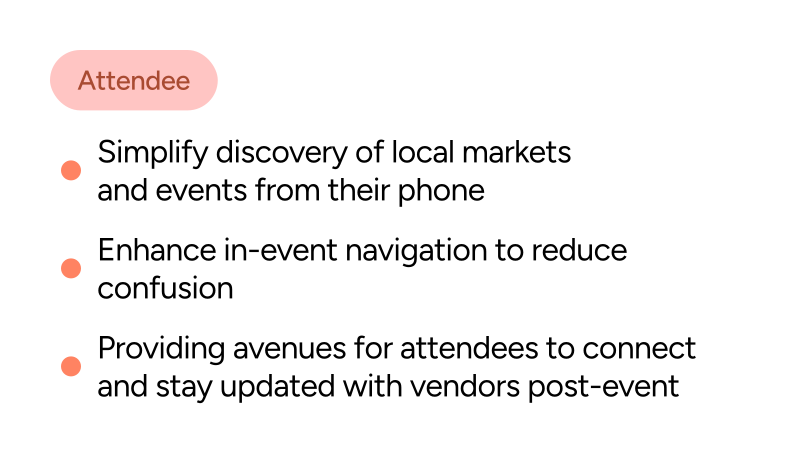
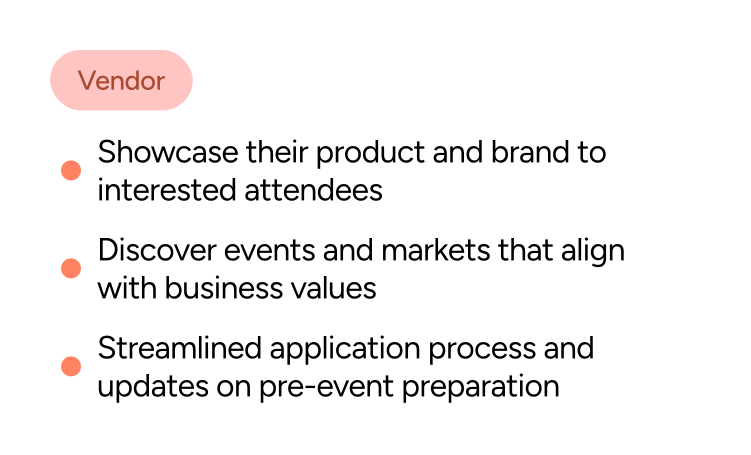
We conducted 12 initial interviews with both attendees and vendors to determine their goals and pain points.
Discovery & Understanding User Needs
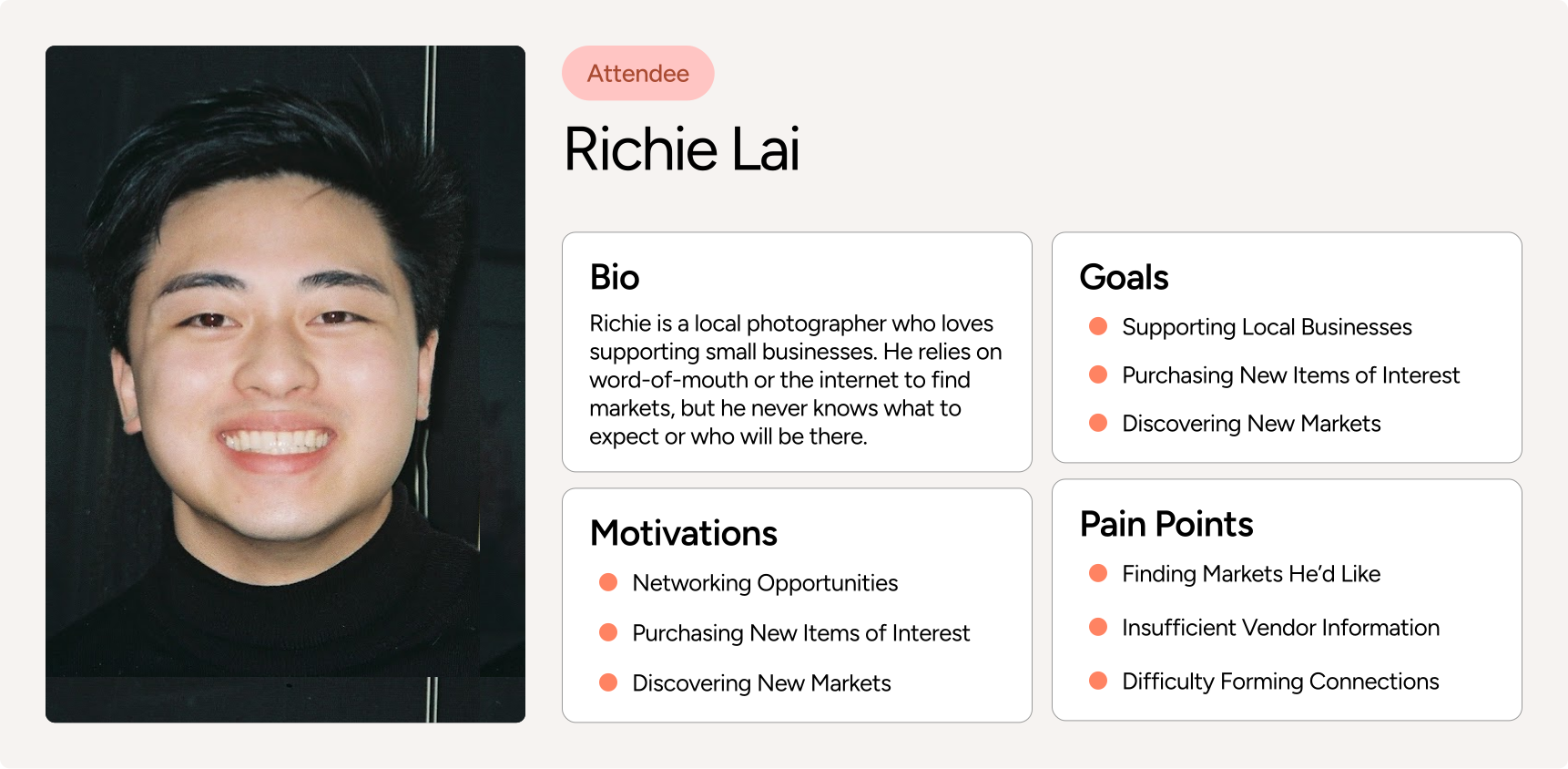
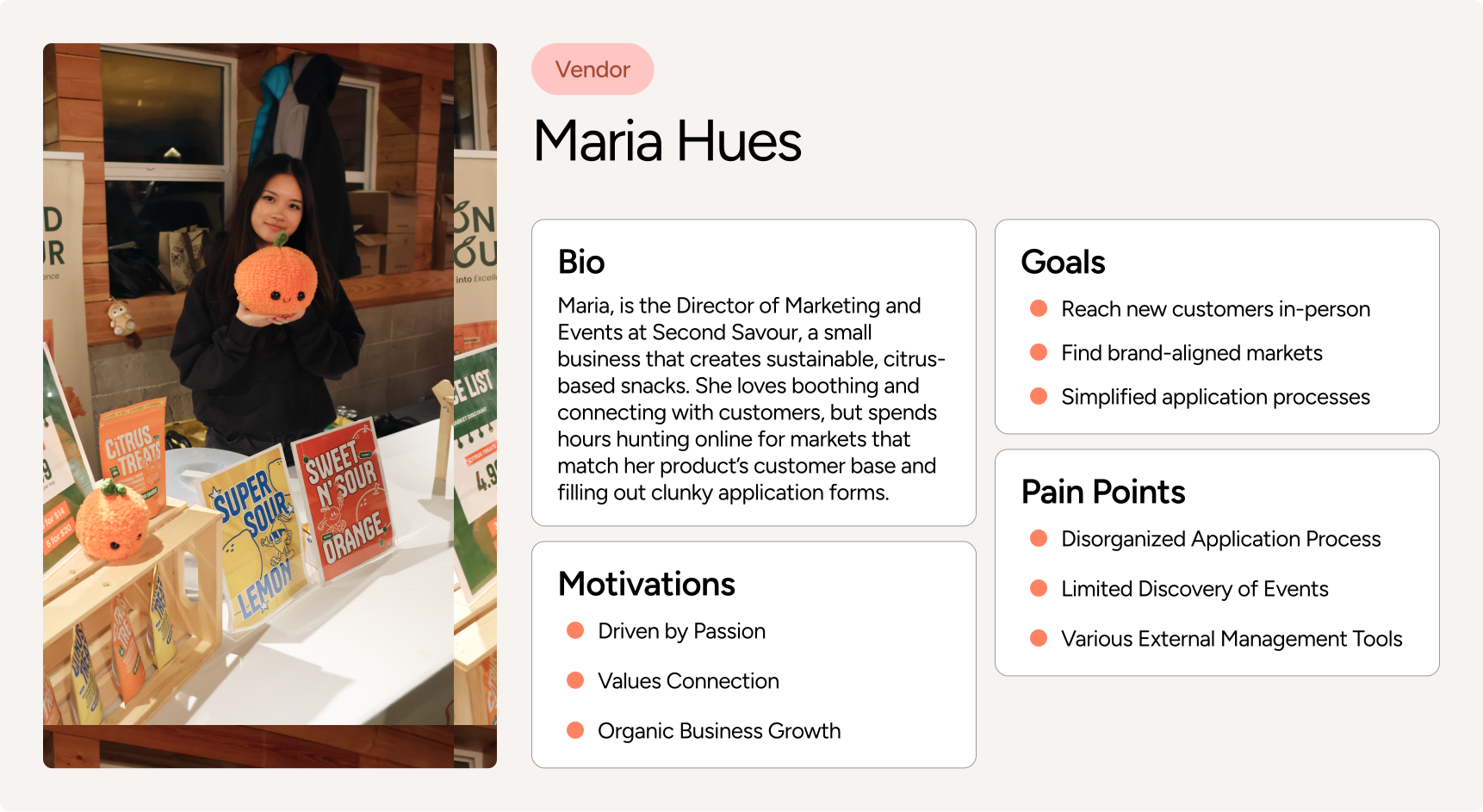
Interview insights were synthesized into user personas to ground our design decisions.
Framing the Opportunity
With our newfound insights in hand, one key question emerged:
Understanding User Flow
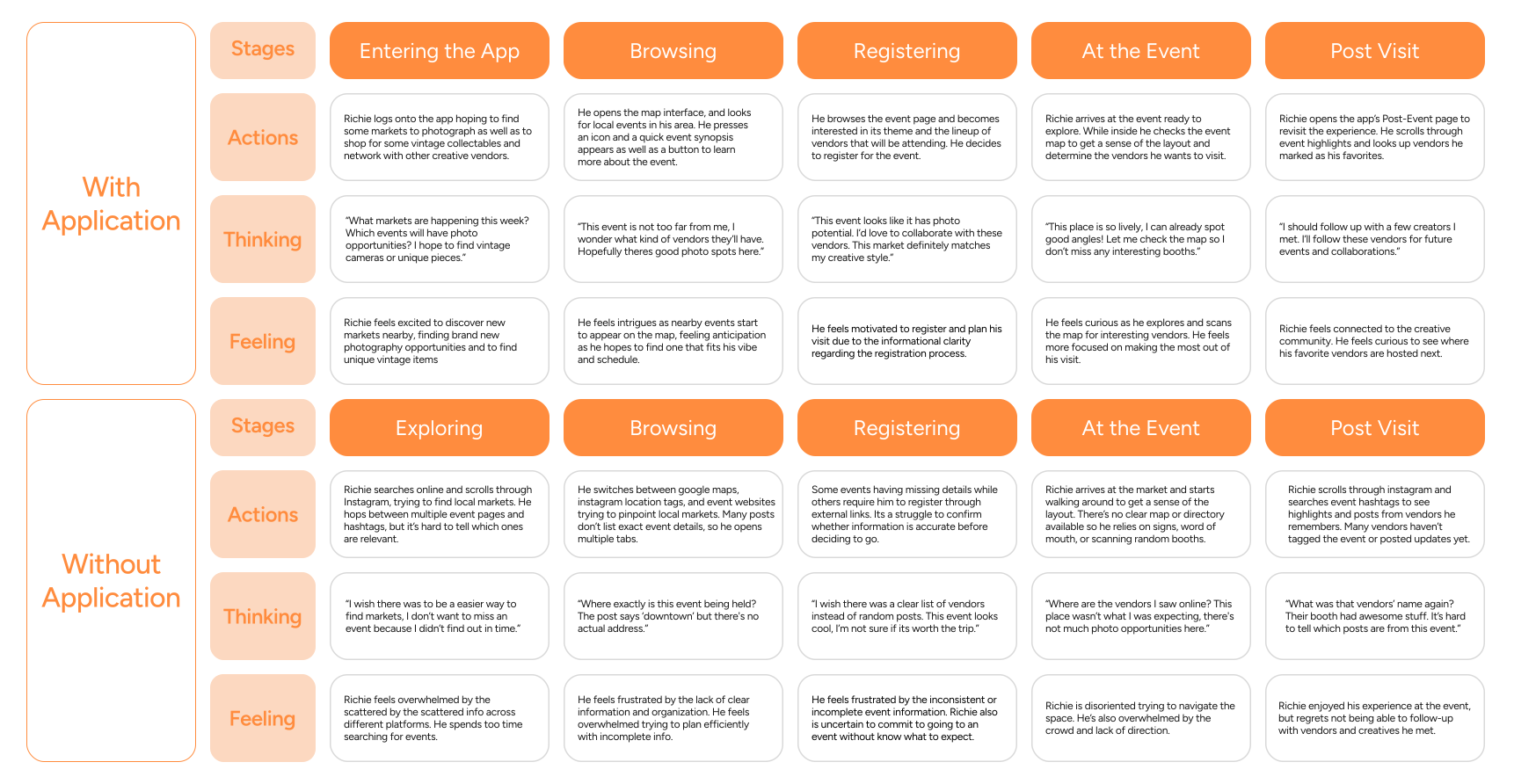
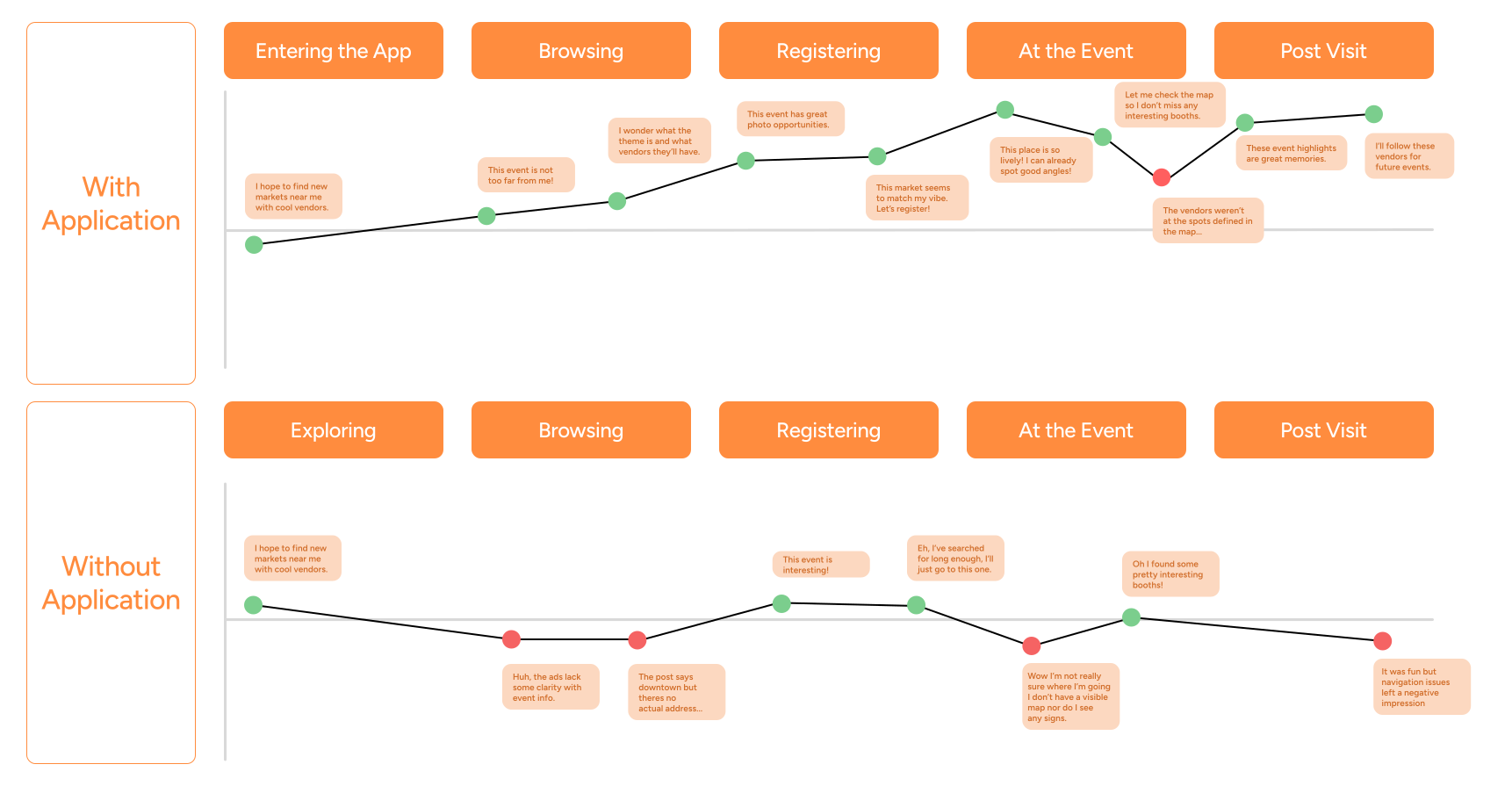
I created a user experience map to see how our users will move throughout our application.
Comparing the Before & After
Mapping both the current and proposed experience helped us pinpoint friction points, information gaps, and opportunities for meaningful improvement.
Data over Assumptions
This grounded the teams’ design decisions further, using real user behavior as justification rather than assumptions of how they would act.
Translating Insight into Action
From the UX map, I uncovered key user pain points and identified clear opportunities where Mosaic could meaningfully improve the event discovery and attendance experience.
Event Discovery lacks a centralized platform.
Without Mosaic, users often rely on getting event info from scattered sources such as Instagram and event websites.
Vendor visibility influences perceived value.
Users are highly motivated by knowing which vendors will attend and whether the event aligns with their interests.
On-site navigation is frustrating without guidance.
Without a map or directory, users feel disoriented at events and rely on wandering, signage, or word of mouth.
Information clarity directly affects commitment.
When event details are incomplete (missing addresses, vendor lists, or schedules), users feel frustrated and unsure about attending.
The Process - 1
These insights informed the structure and priorities of the application, which were explored next through initial mockups.
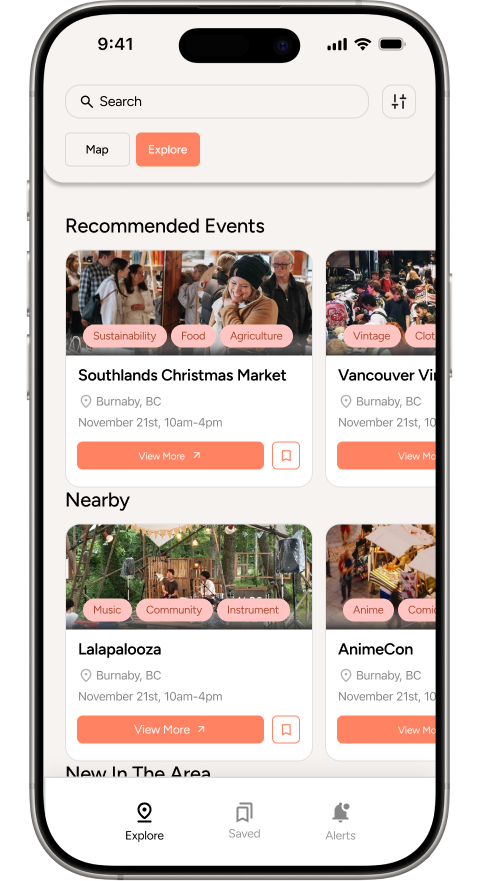
The Explore Page
Allows users to search for events in their area, reducing time and effort to discover events matching their interests.
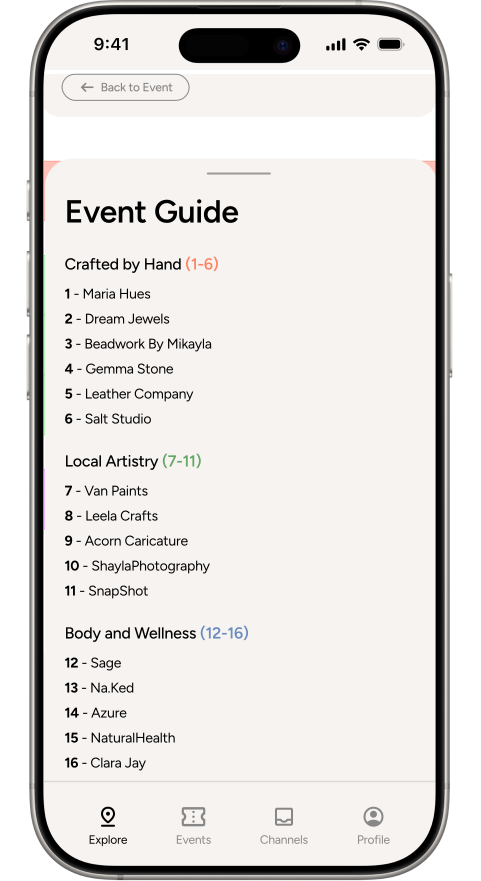
The In-Event Map
Provides attendees with an all-inclusive event guide without having to rely on external signage or word of mouth.
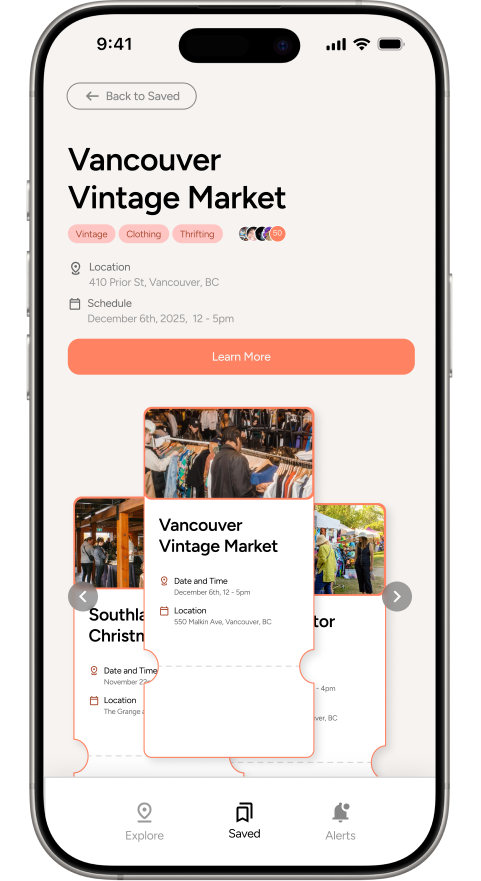
Saved Events
A space to view events users are planning to visit using a ticket carousel which keeps the layout compact and browsable.
Designing for Discovery
I designed the Explore page using stylized map pins to create visual interest and encourage
exploration.
The rationale here was that the limited info would allow users to be curious, following the
information scent to view the full event page.
View Events at a glance.
Map icons include a small image gallery to provide a quick visual preview of each event. Clicking an icon opens a summarized info tab on the event.
Iterating on User Feedback
After conducting 9 usability interviews
with both attendees and vendors, the most
friction was coming from the explore page.
The pop-up interface was novel and unique, but the unfamiliarity hindered navigation, making event-discovery less efficient.
I redesigned it, adhering to common mental models and using more familiar patterns to reduce friction.
Familiar Patterns = Better UX
Replaced the pop-up with a pull tab, which is a feature common in most map interfaces, allowing its function to be instantly recognizable.
After an 8 week journey
The results? A fully prototyped application that taught me what user research really meant and how to utilize it to inform design decisions.
Reflecting Back on My Experience
What I learnt.
1.
Design for Familiarity
Novel interactions can introduce unnecessary friction. Clarity and predictability will always outperform visual novelty in functional interfaces.
2.
Prioritize Clarity First
Most usability issues came down to unclear hierarchy and affordances. This served as a reminder that legibility and structure should be addressed early in the design process.
3.
Centralization is Costly
Users expect completeness, polish, and flexibility across every corner of the experience, or they’ll go back to the tools they already know.